
Download Playlist Maker – playlist maker, music playlist, android, free, mp3, audio, manage music, create playlists
Overview
Playlist Maker is a free Android application designed for organizing and managing audio collections on mobile devices. The software enables users to create custom playlists, group music files, and streamline access to favorite tracks. It serves as a straightforward tool for individuals seeking to simplify their music library management without complex interfaces or additional costs.
Target users include casual listeners, mobile music enthusiasts, and anyone needing a lightweight solution for audio file organization. The app is particularly suited for users who prioritize simplicity and efficiency over advanced features. Developed by an independent creator, the application has maintained a minimalistic approach since its initial release in January 2017.
Despite limited visibility—only three total downloads recorded since 2017 and no downloads in the previous week—Playlist Maker remains available for Android 4.3 and later. The developer has not disclosed additional details about their background or the app’s development history. Real-world usage scenarios include compiling workout playlists, organizing themed music collections, or preparing audio files for travel.
The app operates entirely on-device, allowing users to manage their music without internet connectivity.
Key Features & Capabilities
- Playlist Creation: Users can generate custom playlists by selecting individual audio files from their device’s storage, enabling personalized music organization.
- Audio File Management: The app provides tools to view, sort, and arrange music files, supporting efficient navigation through large music libraries.
- Ad-Free Experience: Playlist Maker operates without advertisements, in-app purchases, or subscription models, ensuring uninterrupted usability.
- Lightweight Design: Built for efficiency, the application consumes minimal system resources, making it suitable for devices with limited processing power or storage.
- Offline Functionality: All playlist operations occur locally, allowing full functionality without requiring an internet connection.
These features cater to users who need a no-frills solution for music organization. For example, a user can quickly compile a playlist of songs for a road trip by selecting tracks from their phone’s storage. The app’s simplicity reduces the learning curve, making it accessible to non-technical users.
By focusing solely on core playlist functions, it avoids feature bloat, which appeals to users seeking reliability over complexity. The lack of cloud integration or synchronization means data remains private and device-specific, a benefit for users concerned about data privacy. However, the absence of advanced features like auto-tagging or smart playlists limits its functionality for power users.
User Interface, Workflow & Performance
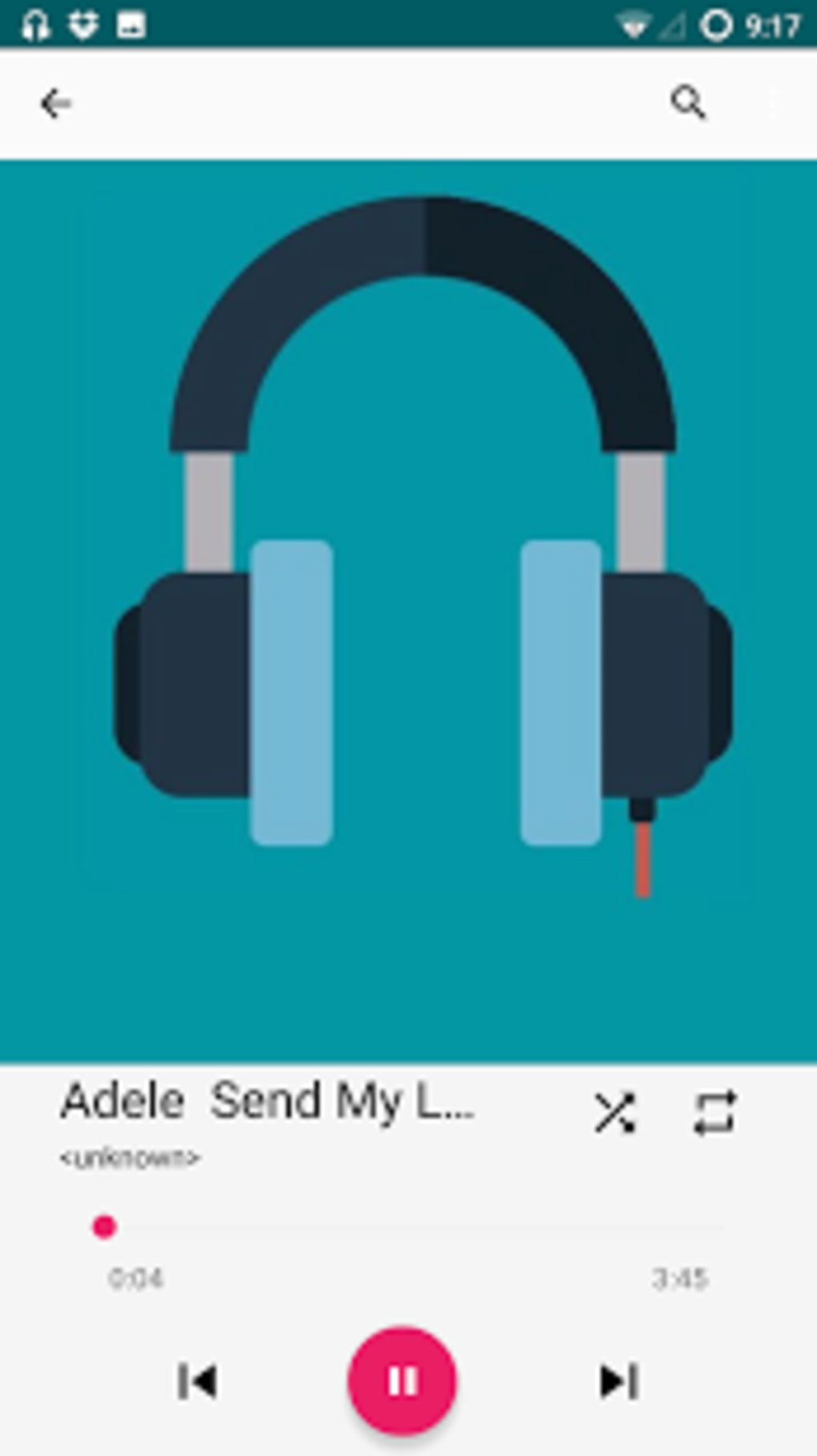
Playlist Maker presents a minimal interface focused on core functionality, prioritizing ease of use over visual design. Navigation is linear, guiding users through playlist creation and file selection with straightforward menus. The workflow involves selecting audio files, assigning them to a playlist, and saving the collection—all within a few taps.
This simplicity reduces user effort, especially for basic tasks. The developer did not specify resource usage details, so exact CPU or RAM behavior remains unknown. Performance observations are based on general software behavior patterns, suggesting the app operates smoothly on devices meeting the minimum Android 4.3 requirement.
Stability is inferred from the app’s long-term availability, though no formal reliability metrics were provided. The application’s lightweight nature implies efficient memory handling, though this is not explicitly confirmed. Users may experience delays when managing large music libraries, but no performance bottlenecks were documented.
The absence of real-time feedback during file operations suggests a basic interaction model. Overall, the interface is functional but unremarkable, lacking modern design elements or customization options.
Compatibility & System Requirements
Playlist Maker is designed for Android 4.3 and later versions, ensuring broad compatibility with older and mid-range devices. The application is available exclusively for Android platforms, with no information provided about iOS, Windows, or macOS support. The installation size varies depending on the device’s hardware configuration and the number of audio files stored locally.
The developer did not specify exact system requirements such as RAM, processor speed, or storage space beyond the OS version. This lack of detailed specifications means users must rely on general device capabilities when assessing suitability. The app is not available on the Google Play Store, which may limit discoverability and security verification.
As a result, users must download it from third-party sources, where risks such as malware or tampering cannot be ruled out. The developer has not disclosed any compatibility notes for specific hardware or screen resolutions, leaving users to test the app directly on their devices.
Pros and Cons
Pros
- Free to download and use with no in-app purchases or advertisements
- Lightweight design with minimal system resource consumption
- Simple, intuitive interface suitable for beginners
- Offline functionality for complete privacy and accessibility
- Focuses on core playlist management without unnecessary features
Cons
- Not available on Google Play Store, increasing download risk
- Developer anonymity raises security and trust concerns
- Limited to Android platform with no cross-device sync
- Version 1.0 has not been updated since 2017, indicating possible stagnation
- Minimal user feedback or community support available
FAQ Section
Is Playlist Maker available for iOS devices?
The app is exclusively designed for Android platforms. No information is available about iOS compatibility or future releases.
Is it safe to download from third-party sources?
Since Playlist Maker is not available on Google Play, downloading from unofficial sources carries inherent risks. Users should exercise caution and verify file integrity before installation.
Does the app require an internet connection?
No, Playlist Maker functions entirely offline. All playlist operations occur locally on the device.
Can I update the app if new versions are released?
The current version is 1.0, last updated on January 26, 2017. No updates have been announced, and the developer has not provided information about future releases.
Is my music data stored securely?
The app manages files locally on the device. However, the developer has not disclosed any security or privacy policies, so data protection practices remain unknown.
Final Thoughts
Playlist Maker offers a no-frills solution for Android users seeking to organize music playlists without distractions. Its simplicity, lack of ads, and offline functionality make it a viable option for basic audio management. However, its absence from official app stores, stagnant development since 2017, and unknown developer background present significant caution points.
While the app fulfills its core purpose efficiently, users must weigh the benefits against potential security risks. For those prioritizing privacy and minimalism on Android, it remains a functional choice—albeit one with limited modern support. The app’s niche appeal is clear, but its long-term viability is uncertain.
Download Playlist Maker now if you need a straightforward, ad-free playlist tool for your Android device.





.png)

